> ## Documentation Index
> Fetch the complete documentation index at: https://docs.murmur.dev/llms.txt
> Use this file to discover all available pages before exploring further.
# Spawn Your First Agent
> Launch your first Murmur agent from the dashboard, the CLI, or your coding agent — three entry points and what to expect from each of them.
There are three ways to spawn a Murmur agent. Pick whichever fits where you are right now. For consistency, every example below asks the agent to do the same thing: create a `hello.txt` file that says "hi" and open a PR.
## From the dashboard
1. Go to [cloud.murmur.dev](https://cloud.murmur.dev).
2. Click the **+** icon to create a new agent.
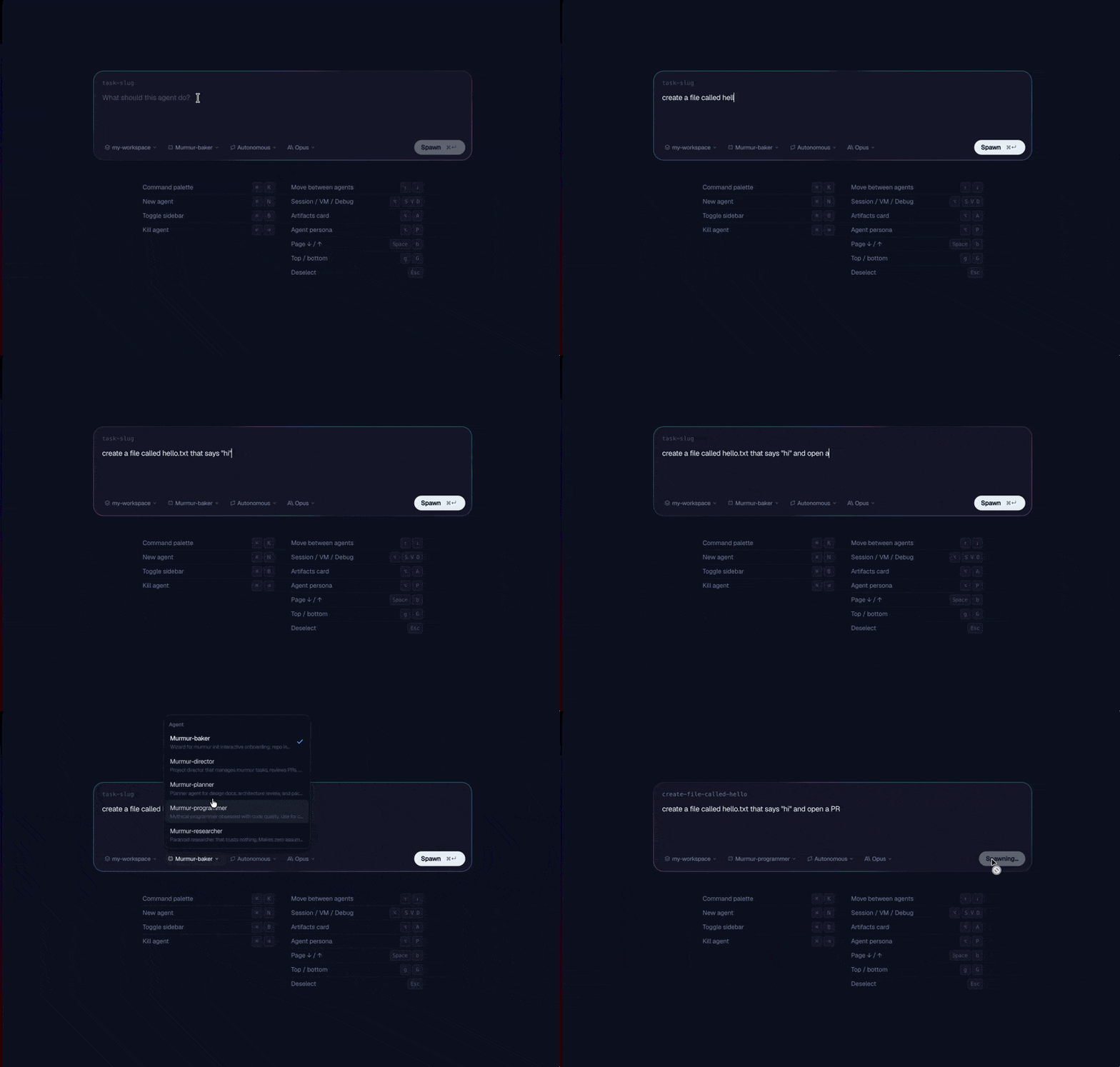
3. Type your prompt under **What should this agent do?**:
> Create a file called `hello.txt` that says "hi" and open a PR.
4. Pick your options along the bottom:
* **Workspace**: which [Workspace](/concepts/workspaces) the agent runs in
* **Persona**: which [Agent Persona](/concepts/agent-personas) (e.g. `programmer`)
5. Click **Spawn**.
The agent appears in your sidebar and starts working immediately.
 ## From the CLI
```bash theme={null}
murmur spawn my-first-task "Create a file called hello.txt that says 'hi' and open a PR" --out pr
```
See [`murmur spawn`](/cli/spawn) for every flag.
## From your coding agent (via the Director)
The [Director](/concepts/director) is an interactive Claude session for managing a fleet of agents. Launch it from any terminal:
```bash theme={null}
murmur director
```
Under the hood, `murmur director` launches Claude Code with `--dangerously-load-development-channels server:murmur`. This opts the session into Claude Code's channel transport, which Murmur uses to stream real-time [events](/concepts/events) (PR comments, CI results, agent lifecycle) into your conversation as `` tags.
**When Claude Code prompts you to confirm channels, say yes and opt in** — the director needs channels turned on to send notifications back to your session.
Then, describe the work in plain English:
> spawn a Murmur agent to create a file called `hello.txt` that says "hi" and open a PR
## After you spawn
The agent appears in the left sidebar of your dashboard. Click into it to see the live transcript, the running VM, follow-up controls, and any PRs it produces.
Check status from the CLI:
```bash theme={null}
murmur ls # list all running agents
murmur status # details for a specific agent
```
From Claude Code:
> what's the status of my agents?
## Next steps
Agents, Workspaces, Pools, Flights, Events, and the rest of the model.
Spawn children, fan tasks out across many items, or run a Flight.
## From the CLI
```bash theme={null}
murmur spawn my-first-task "Create a file called hello.txt that says 'hi' and open a PR" --out pr
```
See [`murmur spawn`](/cli/spawn) for every flag.
## From your coding agent (via the Director)
The [Director](/concepts/director) is an interactive Claude session for managing a fleet of agents. Launch it from any terminal:
```bash theme={null}
murmur director
```
Under the hood, `murmur director` launches Claude Code with `--dangerously-load-development-channels server:murmur`. This opts the session into Claude Code's channel transport, which Murmur uses to stream real-time [events](/concepts/events) (PR comments, CI results, agent lifecycle) into your conversation as `` tags.
**When Claude Code prompts you to confirm channels, say yes and opt in** — the director needs channels turned on to send notifications back to your session.
Then, describe the work in plain English:
> spawn a Murmur agent to create a file called `hello.txt` that says "hi" and open a PR
## After you spawn
The agent appears in the left sidebar of your dashboard. Click into it to see the live transcript, the running VM, follow-up controls, and any PRs it produces.
Check status from the CLI:
```bash theme={null}
murmur ls # list all running agents
murmur status # details for a specific agent
```
From Claude Code:
> what's the status of my agents?
## Next steps
Agents, Workspaces, Pools, Flights, Events, and the rest of the model.
Spawn children, fan tasks out across many items, or run a Flight.