

hello.txt file that says “hi” and open a PR.
From the dashboard
- Go to cloud.murmur.dev.
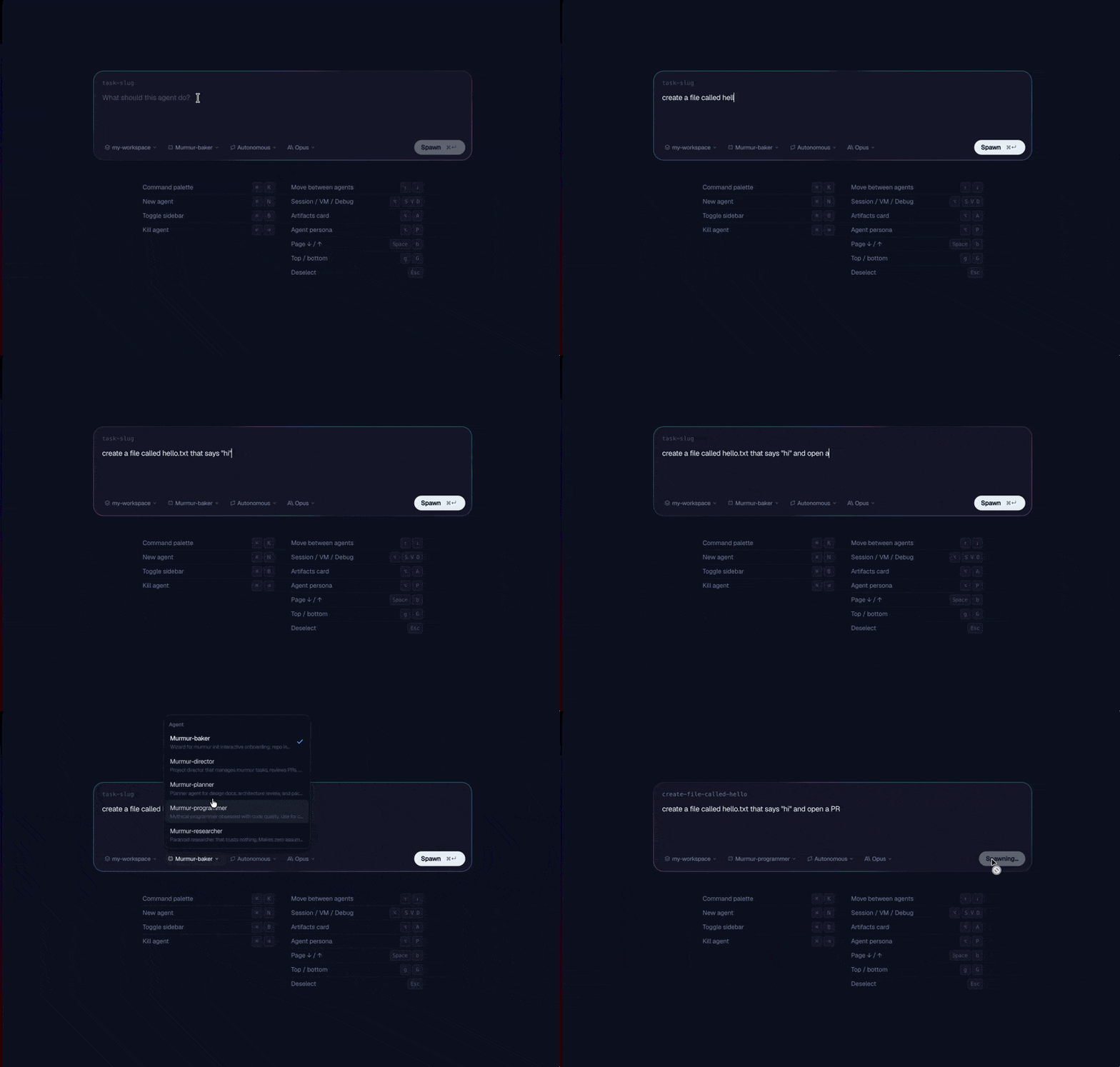
- Click the + icon to create a new agent.
- Type your prompt under What should this agent do?:
Create a file called
hello.txtthat says “hi” and open a PR. - Pick your options along the bottom:
- Workspace: which Workspace the agent runs in
- Persona: which Agent Persona (e.g.
programmer)
- Click Spawn.
From the CLI
murmur spawn for every flag.
From your coding agent (via the Director)
The Director is an interactive Claude session for managing a fleet of agents. Launch it from any terminal:Heads up: --dangerously-load-development-channels
Under the hood,
murmur director launches Claude Code with --dangerously-load-development-channels server:murmur. This opts the session into Claude Code’s channel transport, which Murmur uses to stream real-time events (PR comments, CI results, agent lifecycle) into your conversation as <channel> tags.When Claude Code prompts you to confirm channels, say yes and opt in: the director needs channels turned on to send notifications back to your session.
spawn a Murmur agent to create a file called hello.txt that says “hi” and open a PR
After you spawn
The agent appears in the left sidebar of your dashboard. Click into it to see the live transcript, the running VM, follow-up controls, and any PRs it produces. Check status from the CLI:what’s the status of my agents?
Next steps
Core concepts
Agents, Workspaces, Pools, Flights, Events, and the rest of the model.
Coordinate multiple agents
Spawn children, fan tasks out across many items, or run a Flight.